
Boat Docking & Berthing Simulator
Practise mooring in real harbours before your charter
A free online boat docking simulator that runs in your browser. Bring a yacht alongside a pontoon, reverse into a finger berth, put the fenders out and get the bow, stern and spring lines ashore — in today's real wind, in 108 harbours around the Gulf of Riga, on 13 boats from a sea kayak and an Optimist to a 40 m motor yacht.
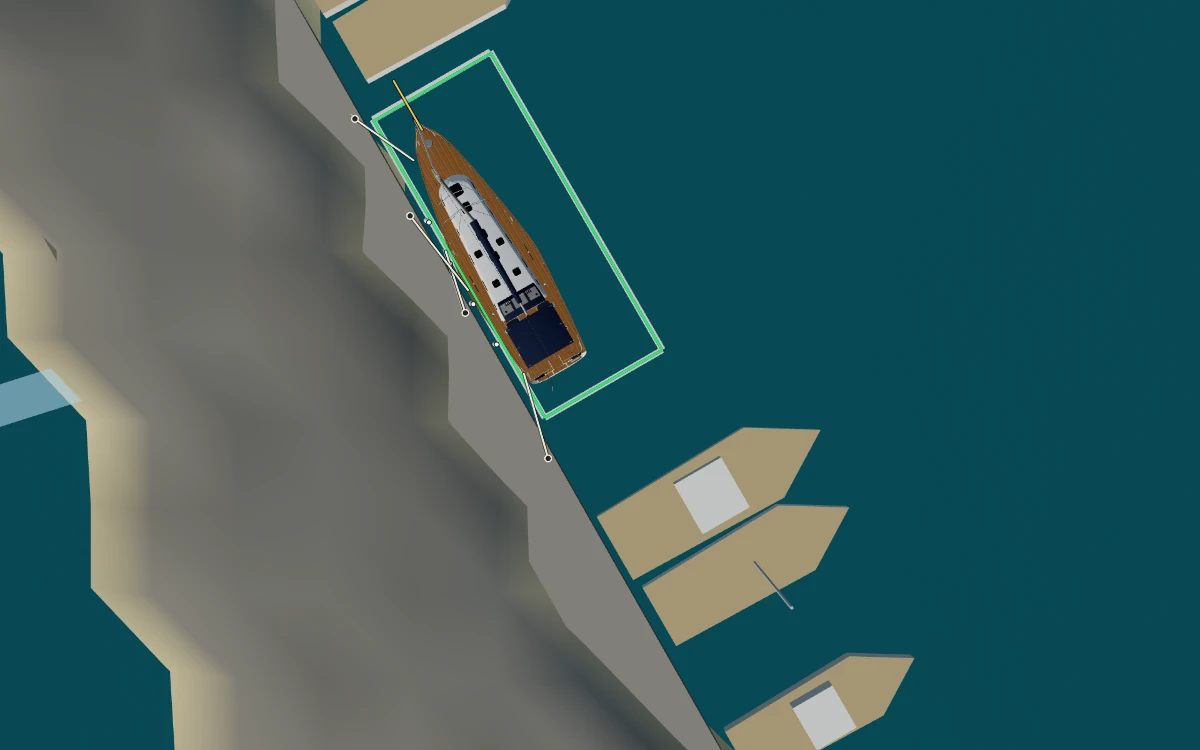
Free, no account needed. Opens LATEKO, a 15.5 m sailing yacht, in Ruhnu harbour, already in docking mode.
Why practise docking before a charter
For many charter skippers the hardest minutes of the week are not at sea but the last fifty metres into the marina: a boat bigger than the one you are used to, a crosswind across a crowded harbour, a crew who have never thrown a line, and an audience on the pontoon. What goes wrong happens at two knots — the bow blows off downwind the moment you slow down, prop walk swings the stern the wrong way when you go astern, a line lands short, a fender is on the wrong side.
A simulator cannot give you the feel of a real wheel. What it can do is let you rehearse the plan — approach angle, speed, which side the fenders go, which line goes ashore first and how you will stop the boat — as often as you like, on different boats, in wind that is really blowing today. Then the manoeuvre at the charter base is a repeat, not a first attempt.
What you can practise
Coming alongside a pontoon or quay
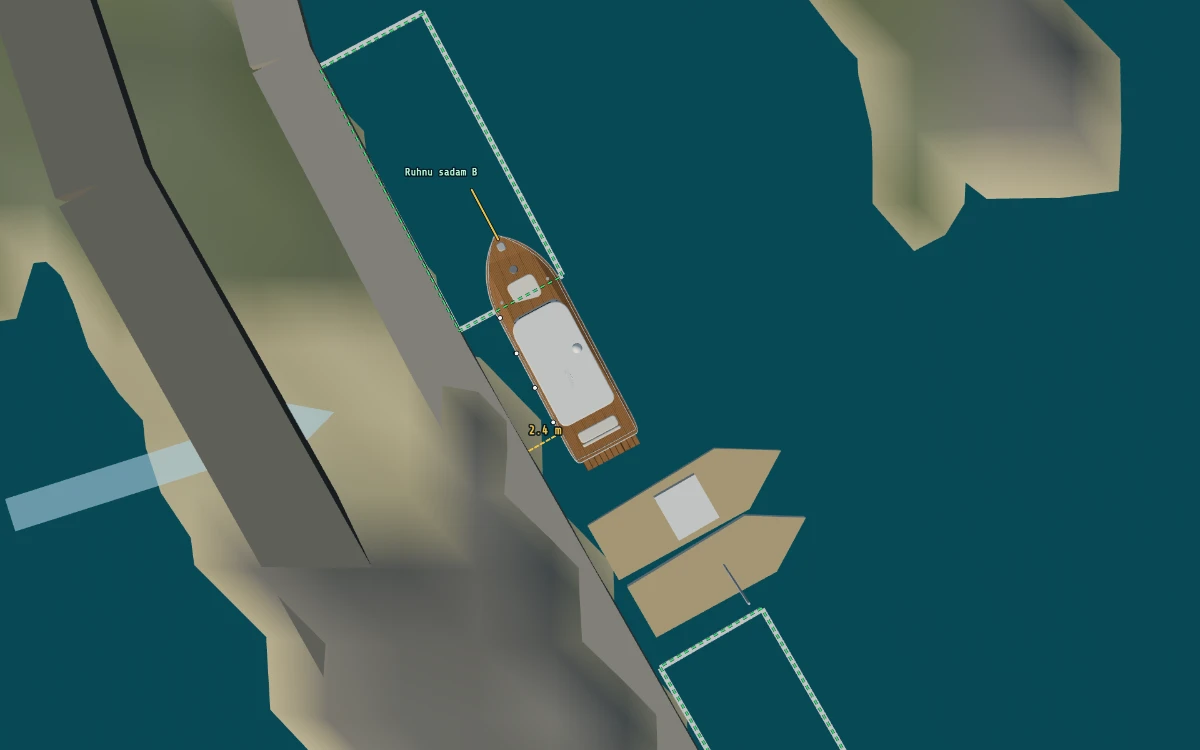
Pick your side, put the fenders out on it and approach at a shallow angle, slowly. A touch on a fendered side is soft up to 1.5 knots into the pier; on a bare side anything over 0.3 knots is hard contact and counts as damage. Below 15 metres a dashed line shows the gap to the nearest pier, pontoon or moored boat, in metres.
Berthing in a finger berth
Most marinas have finger pontoons, and the visitor berths are outlined in green. Go in bows-first or reverse in stern-first; the simulator recognises her as in the berth whichever way round she lies, and the CLEAR readout shows how close the nearest pontoon or boat is.
Fenders and lines: bow, stern and springs
You have four lines — bow line, fore spring, aft spring and stern line (keys 1–4, or the buttons). Within 3 m of the pier edge a crew member steps ashore with the line; within 8 m it is thrown, as long as you are under 1.5 knots. The crew holds it and takes in the slack, so you can warp her in; press again to make it fast, again to cast off. With the bow and stern lines fast, or both springs and one of them, she is moored and you can stop the engine. For a first go, L does it all at once when you lie alongside: fenders out, every line fast.
Springing off
The lines really hold the boat, so the classic exits work: motor slowly ahead against the fore spring with a fender forward and the stern swings out; go astern against the aft spring and the bow comes off. Useful when the wind pins you to the pontoon.
Wind, prop walk and thrusters
The wind is the real forecast for the Gulf of Riga and pushes every boat — high-sided motor yachts and the catamaran far more than a low sailing yacht. The single-engine sailing yachts have prop walk: go astern and the stern kicks to port. Some boats have bow and stern thrusters, the catamaran pivots on her two engines, the motorboat steers with her outboard and a jet ski will not steer at all without throttle.
13 boats, from an Optimist to a 40 m motor yacht
| Boat | Size | What changes alongside |
|---|---|---|
| Sea kayak | 5.3 m | You are the engine: paddle, sweep strokes, one line |
| Optimist dinghy | 2.3 m | Sails or drifts; one painter |
| ILCA 7 dinghy (Laser class) | 4.2 m | Tiller and mainsheet only; one painter |
| Jet ski | 3.3 m | No steering without throttle |
| Motorboat with outboard | 5 m | The outboard steers |
| Sailing yacht ELEONORA (Albin Ballad 30) | 9.1 m | Tiller, one engine, prop walk astern |
| Sailing catamaran Namejs | 10.5 × 7.0 m | Two engines: pivots almost on the spot; the wind catches her |
| Motor yacht | 15 m | Bow and stern thrusters |
| Sailing yacht LATEKO (Beneteau 50) | 15.5 m | Twin wheels, bow thruster, prop walk, 2.3 m keel |
| Libava, 17th-century Dutch yacht replica | 18.6 m | Slow hydraulic wheel, strong prop walk, no thrusters |
| AC75 foiler | 20.7 m | No engine: in harbour she goes on a tow from her chase boat |
| Motor yacht Pershing 8X | 25.5 m | Surface drives, two levers, thrusters; fast even at idle, so one engine at a time |
| Motor yacht B.Yond 40M | 40 m | About 420 t: twin engines, bow and stern thrusters, takes her way off slowly |
108 real harbours around the Gulf of Riga
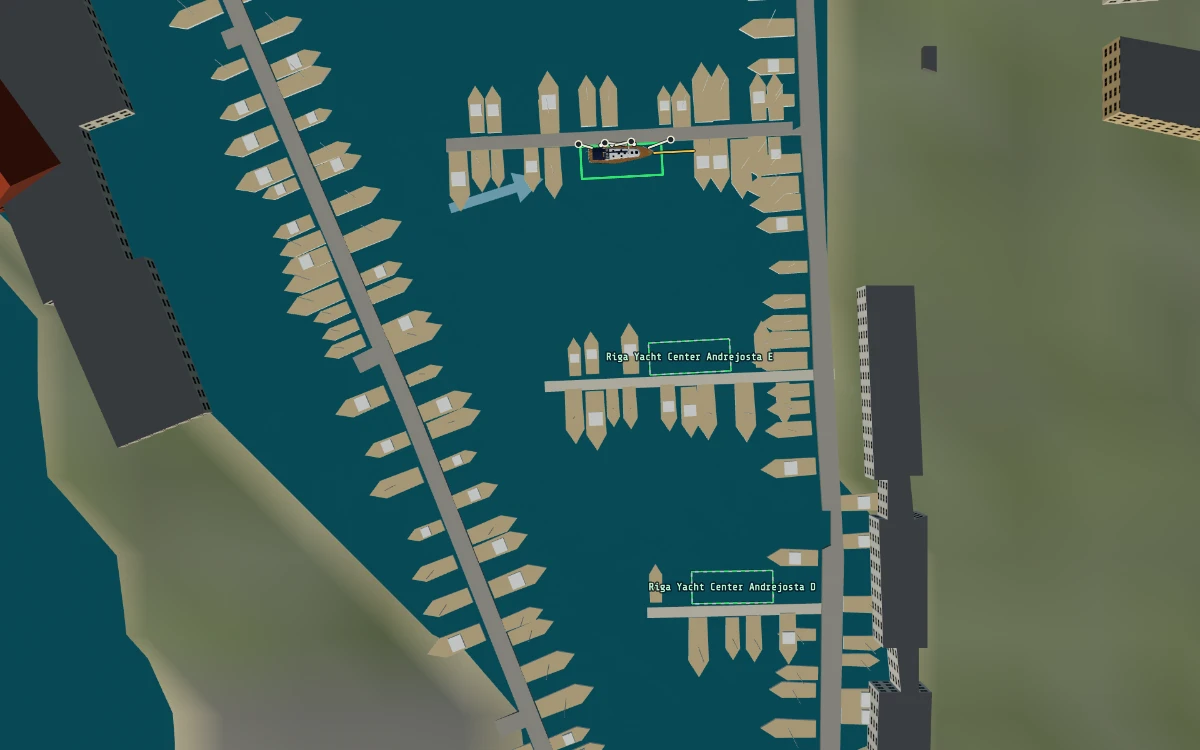
The harbours are real places: in Latvia Riga (Andrejosta and Ķīpsala marinas), Jūrmala on the Lielupe, Engure, Mērsrags, Roja, Salacgrīva and Skulte; in Estonia Ruhnu, Pärnu, Kuressaare, Roomassaare, Nasva, Kihnu, Virtsu and dozens of small island harbours. Coastlines, piers, pontoons, quays, breakwaters and moored yachts come from OpenStreetMap, the depths from EMODnet, and 582 visitor berths are outlined in green. Where the map has no pontoon detail, the simulator lays out an approximate marina sized for the boats that use the harbour — so treat the layouts as practice harbours, not as pilotage for a real visit.
Start docking practice puts you in Ruhnu, the island harbour in the middle of the gulf, stopped a few boat lengths from the visitor berths. From there you can sail or motor on to any other harbour (speed the clock up ×10 or ×100 on the way), or pick another sea area. The sky is real too: the sun and moon stand where they really are, fog, rain and snow come from the same forecast, and the navigation lights come on at sunset.
How it works
- Start. Start docking practice opens the simulator in Free Mode with LATEKO in Ruhnu harbour, already in docking mode. Or open the bridge simulator, choose 1. Familiarisation — Free Mode, pick an AREA and a VESSEL, and press ⚓ DOCK or Enter.
- The view. The whole screen becomes the harbour seen from straight above, north up. The harbour stands still and only your boat moves and turns. Drag to look around, zoom with the wheel, a pinch or + −; ⌖ CENTRE frames your boat again.
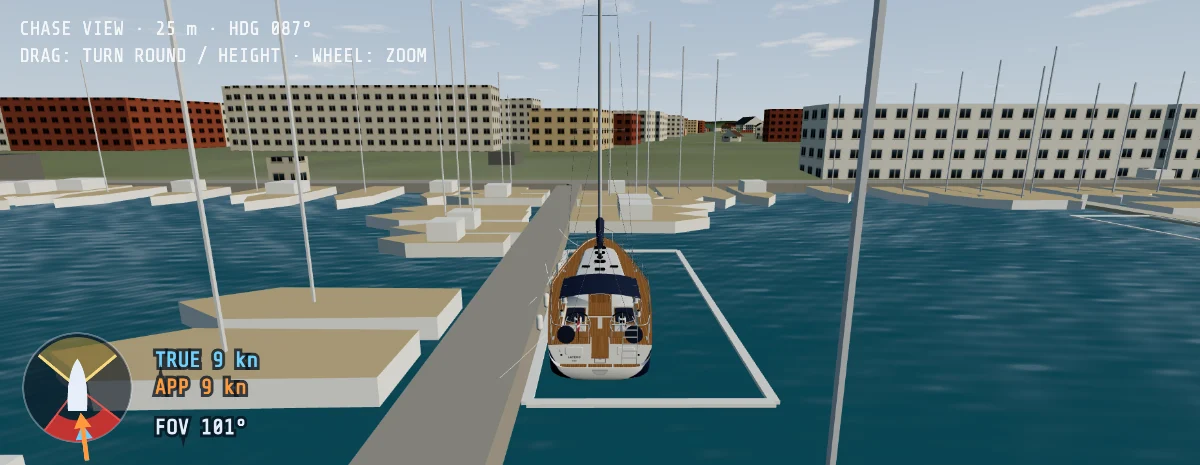
- The readouts. Along the top: speed over ground, heading, water under the keel, the true wind and the clearance to the nearest pier or boat.
- Her own controls. Only what this boat has stays on screen: one or two engine levers, wheel, tiller or outboard, bow and stern thrusters, the sails, fenders port and starboard and the four lines.
- Mistakes are cheap. Hard contact, aground or capsized? ↶ 1 H BACK puts you back where you were an hour of sailing ago; RESTART begins again. ✕ EXIT, Esc or Enter takes you back to the radar, chart and 3-D bridge view.
| Control | Keyboard | Touch / mouse |
|---|---|---|
| Engine | ↑ ↓ | Drag the lever, or tap FULL / HALF / SLOW / STOP |
| Rudder | ← → or A D, M midships | Rudder slider, ◀ ▶, MID |
| Bow / stern thruster | Q E / Z C (hold) | Hold ◀ ▶ |
| Fenders | O | FENDERS P / S |
| Lines | 1 bow, 2 fore spring, 3 aft spring, 4 stern | BOW, F.SPR, A.SPR, STERN; ALL OFF |
| Make fast / cast off | L | MAKE FAST / CAST OFF |
Free — and what a subscription adds
Docking practice is part of Free Mode and free for everyone, with no account. If you want more from the same simulator, a Marine Simulator Training plan unlocks all 54 COLREG collision-avoidance scenarios on the radar and AIS bridge display and the full VHF/DSC radio simulator, for a fixed term with no auto-renewal.
Going on charter? Many charter companies also ask the skipper for a VHF radio operator's certificate. If you do not have one yet, our online VHF SRC course takes you through theory, a radio simulator and the exam to the SkipperCheck SRC certificate. Check with your charter company which radio certificate they accept.
Frequently asked questions
Is the boat docking simulator free?
Yes. Docking mode is part of the simulator's Free Mode, which is free for everyone: all 13 boats, all 108 harbours and the real wind, in your browser, with no account needed. A paid Marine Simulator Training plan unlocks all 54 COLREG collision-avoidance scenarios and the full VHF/DSC radio simulator; docking itself costs nothing.
Do I need to install anything? Does it work on a phone or tablet?
Nothing to install: it runs in any modern browser that supports WebGL 3-D graphics. On a computer you can use the mouse or the keyboard shortcuts; on a phone or tablet the engine levers, rudder, thrusters, fenders and lines are touch controls laid out around the harbour view.
Which boats can I practise with?
Thirteen: a sea kayak, an Optimist and an ILCA 7 dinghy, a jet ski, a 5 m outboard motorboat, the sailing yachts ELEONORA (9.1 m, tiller) and LATEKO (15.5 m, twin wheels and a bow thruster), the 10.5 m sailing catamaran Namejs with two engines, a 15 m motor yacht with bow and stern thrusters, the 17th-century Dutch yacht replica Libava, an AC75 foiler, a 25.5 m Pershing 8X with surface drives and the 40 m motor yacht B.Yond 40M. Each one has her own controls and handles differently alongside.
Can a simulator really teach me to dock a boat?
It cannot give you the feel of a real wheel or replace hands-on practice with an instructor. What it does well is the thinking: planning the approach for the wind, choosing the side for the fenders and the order of the lines, seeing how prop walk and windage move the boat, and repeating the manoeuvre until the sequence is automatic. Combine it with a proper check-out at your charter base.
Which mooring lines should I use, and in what order?
Alongside, a boat normally lies on four lines: a bow line, a stern line and two springs (the fore spring runs aft from the bow, the aft spring forward from the stern). The first line ashore depends on the wind and the boat; short-handed crews often get a spring on first to stop her and hold her alongside, then the bow and stern lines. In the simulator she counts as moored with the bow and stern lines fast, or both springs and one of them.
Can I practise Mediterranean stern-to mooring?
Not with lazy lines or your own anchor: those are not modelled. You can practise reversing into a berth, prop walk and the line work, which are the hardest parts of a stern-to approach. The harbours are in the Gulf of Riga (Latvia and Estonia), but the manoeuvres are the same in any marina.
Ready for the last fifty metres?
LATEKO is waiting in Ruhnu harbour with her fenders aboard and four lines ready. Free, in your browser.
Related
- ARPA · AIS · COLREG bridge simulator — Free Mode, the 3-D bridge view and the collision-avoidance scenarios.
- How to prepare for a sailing charter — documents, VHF radio, the boat briefing and pre-departure checks.
- How to anchor a boat — scope, setting the anchor and spotting a drag, for the nights you do not spend in a marina.
Screenshots from the simulator. Coastline, piers, pontoons and marinas © OpenStreetMap contributors (ODbL); depths © EMODnet Bathymetry Consortium (CC BY 4.0); wind and weather: MET Norway forecast.